
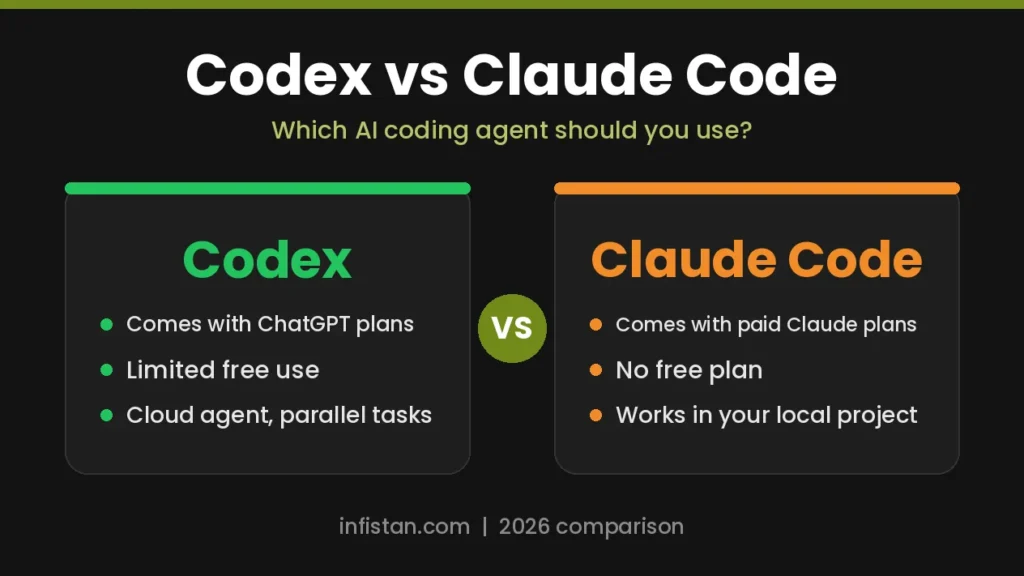
Codex vs Claude Code is the comparison most developers face when they want an AI agent that can do real work in a codebase. Codex comes from OpenAI, and Claude Code comes from Anthropic. Both can read a project, edit files, run commands, and finish multi-step tasks with little help.
This guide compares the two tools on price, where they run, how they work, and who each one suits in 2026. For a wider list of options, see our guide to the best AI coding tools.
Codex vs Claude Code: Quick Comparison
| Point | OpenAI Codex | Claude Code |
|---|---|---|
| Made by | OpenAI | Anthropic |
| How you pay | Included in ChatGPT plans | Included in paid Claude plans |
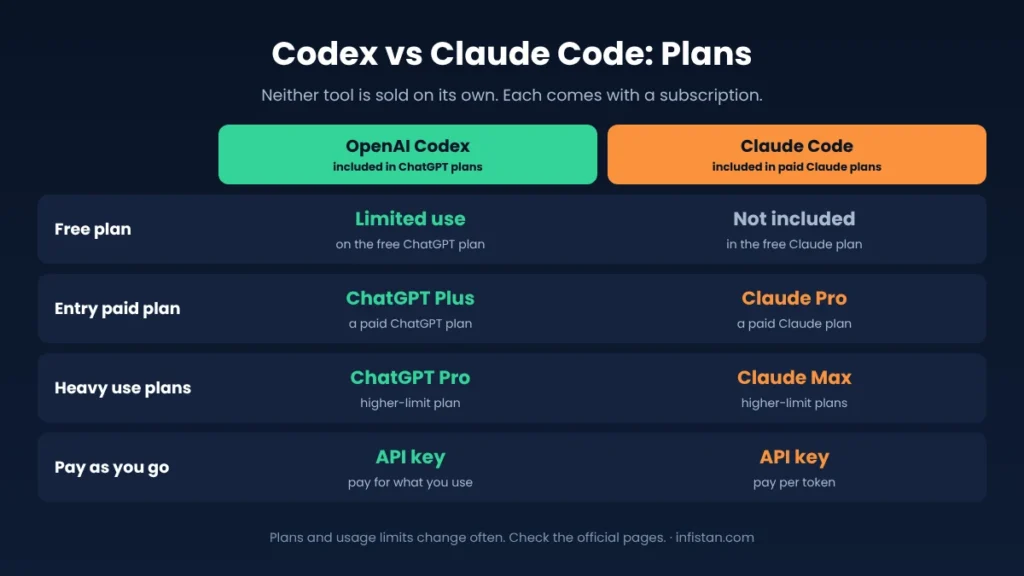
| Free access | Limited use on the free ChatGPT plan | Not included in the free Claude plan |
| Entry paid plan | ChatGPT Plus, $20 per month | Claude Pro, $20 per month ($17 if billed yearly) |
| Heavy use plans | ChatGPT Pro, $100 or $200 per month | Claude Max, $100 or $200 per month |
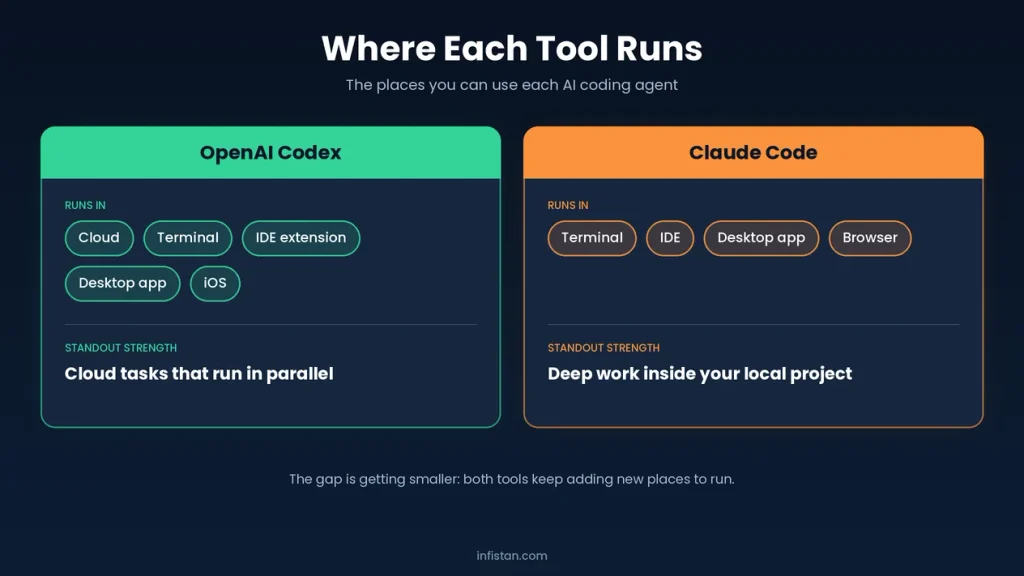
| Where it runs | Cloud, terminal, IDE extension, desktop app, iOS | Terminal, IDE, desktop app, browser |
| Standout strength | Cloud tasks that run in parallel | Deep work inside your local project |
| Project instructions file | AGENTS.md | CLAUDE.md |
Prices were checked in October 2026 and can change. Usage limits also change often, so confirm on the official pricing pages before you pay.
What Is OpenAI Codex?
Codex is the coding agent from OpenAI. It is not sold on its own. Instead, it comes with a ChatGPT plan, and you sign in with your ChatGPT account.
You can use it in several ways. The cloud version runs tasks in isolated sandboxes, so it can work on several jobs at the same time while you do something else. There is also a command line tool for your terminal, an extension for code editors, and a desktop app.
What Is Claude Code?
Claude Code is the coding agent from Anthropic. It reads your codebase, edits files, runs commands, and connects to your development tools. It started as a terminal tool, and it now also runs in code editors, in a desktop app, and in the browser.
Like Codex, it is not sold on its own. Access comes with a paid Claude plan, or you can pay per token through the Anthropic API.
Codex vs Claude Code Cost and Pricing
Pricing looks almost the same at first, because both tools start at $20 per month. However, the details differ.
Codex is included in ChatGPT plans. The free plan gives limited access, so you can try it without paying. ChatGPT Plus costs $20 per month and covers Codex on the web, in the terminal, and in the editor extension. For heavy use, ChatGPT Pro costs $100 or $200 per month, with much higher limits.
Claude Code is included in paid Claude plans. Claude Pro costs $20 per month, or $17 per month when billed yearly. For heavy use, Claude Max costs $100 or $200 per month. The free Claude plan does not include Claude Code.
Both companies limit usage in time windows, and both let you pay through an API key instead of a subscription. Because limits change often, the real cost depends on how many hours you code each day. A light user will be fine on either $20 plan, while a full-time user may need a higher plan on both sides.
Free Ways to Try Each Tool
- Codex: the free ChatGPT plan includes limited Codex use, so you can test it on a small task before you pay.
- Claude Code: there is no free plan for it. The lowest cost way to try it is one month of Claude Pro at $20.
- API billing: both tools can run on an API key. You pay only for what you use, which can be cheap for small tests but expensive for long sessions.
Where Each Tool Runs
Codex puts more weight on the cloud. You can hand it a task, let it run in a sandbox, and review the result later as a pull request. This suits people who want to delegate several jobs at once.
Claude Code puts more weight on your own machine. It works inside your project folder, with your tools and your tests. This suits people who want to stay close to the code and guide the agent step by step.
In practice, the gap is getting smaller. Codex has a terminal tool and editor support, and Claude Code now runs in the browser as well. If you prefer an AI code editor over an agent, see our Cursor vs Windsurf vs Copilot comparison.
Codex CLI vs Claude Code
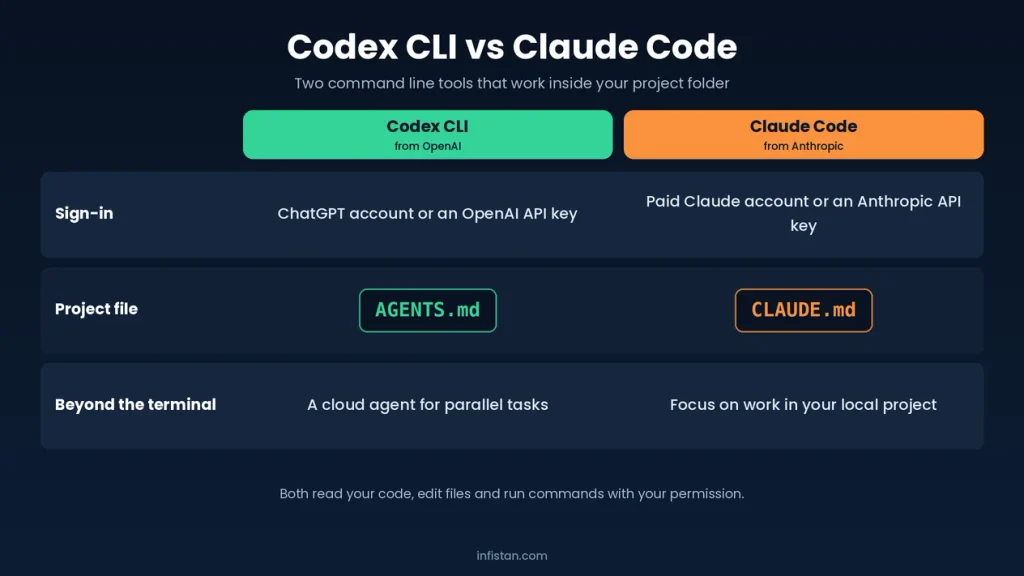
In the terminal, the closest match to Claude Code is the Codex CLI. Both are command line tools that work inside your project folder. They read the code, edit files, and run commands with your permission.
- Sign-in: the Codex CLI uses a ChatGPT account or an OpenAI API key. Claude Code uses a paid Claude account or an Anthropic API key.
- Project file: the Codex CLI reads AGENTS.md, and Claude Code reads CLAUDE.md.
- Beyond the terminal: Codex also has a cloud agent for parallel tasks, while Claude Code focuses on work in your local project.
If you already work in the terminal, both tools will feel familiar. In practice, the Claude Code vs Codex CLI choice comes down to the account you already pay for and the model you prefer.
Codex vs Claude Code: How They Work
Both tools follow the same basic loop. They read the code, make a plan, change files, run commands, and check the result. The difference is in the workflow around that loop.
- Project instructions: Codex reads a file named AGENTS.md, and Claude Code reads a file named CLAUDE.md. In both cases, the file tells the agent how your project works.
- Permissions: both tools ask before they run risky commands, and both let you choose how much freedom the agent gets.
- Extra tools: both can connect to outside tools and data through the Model Context Protocol (MCP).
- Code review: Codex can review pull requests on GitHub. Claude Code can also be used in GitHub workflows.
Code Quality
This is the hardest part to judge. Both tools use the newest models from their company, and those models change every few months. As a result, any claim that one tool always writes better code goes out of date quickly.
A safer approach is to test both on your own project. Give each tool the same real task, such as fixing a bug or adding a small feature, and compare the results. Review the code yourself in both cases, because AI agents still make mistakes.
Who Should Choose Codex?
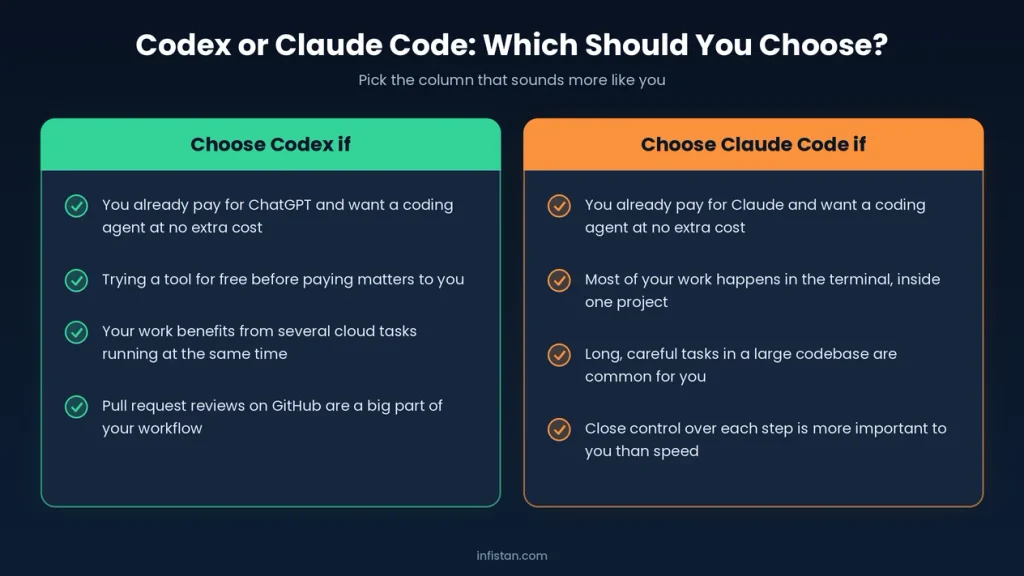
- You already pay for ChatGPT and want a coding agent at no extra cost.
- Trying a tool for free before paying matters to you.
- Your work benefits from several cloud tasks running at the same time.
- Pull request reviews on GitHub are a big part of your workflow.
Who Should Choose Claude Code?
- You already pay for Claude and want a coding agent at no extra cost.
- Most of your work happens in the terminal, inside one project.
- Long, careful tasks in a large codebase are common for you.
- Close control over each step is more important to you than speed.
What Developers Say About Codex and Claude Code
Opinions in developer communities are split, and they shift with each new model release. These points are a summary of common themes in public discussions on Reddit, Hacker News, and developer blogs.
Overall, both tools get strong praise. Many developers describe the move from simple code completion to an agent that can finish whole tasks as a big step forward. In addition, people who try either tool for a few weeks rarely want to go back to coding without one.
Codex Pros According to Developers
- Good value. Many users say the $20 plan goes a long way.
- Parallel cloud tasks. Developers like handing off several jobs at once.
- Free access. The limited free tier makes it easy to try.
- Works in many places. People like that the same agent is available in the browser, the terminal, the code editor, and on a phone.
- Code review. Automatic review of pull requests on GitHub is often named as one of its most useful features.
- Open command line tool. The terminal version is open source, which developers appreciate.
Codex Cons According to Developers
- Some users find cloud tasks slower to review than local edits.
- Usage limits and pricing rules have changed several times, which confuses people.
Claude Code Pros According to Developers
- Strong on large projects. Developers often praise how it handles big codebases.
- Terminal workflow. People who live in the terminal say it fits naturally.
- Control. Users like the detailed settings for permissions and project rules.
- Clear planning. Many developers say it explains its plan before it changes code, which makes the work easier to follow.
- Customization. Custom commands, project rules, and connections to outside tools let teams shape it to their workflow.
- Careful edits. Users often report that it makes focused changes instead of rewriting large parts of a file.
Claude Code Cons According to Developers
- Heavy users often hit the limits of the $20 plan and move to a $100 plan.
- No free plan means you must pay before you can try it.
The Limits of This Comparison
This article is based on official documentation, official pricing, and public developer discussions. It is not a hands-on benchmark of both tools. Therefore, treat it as a starting point for your own test, not as a final verdict.
Frequently Asked Questions (FAQ)
Is Codex better than Claude Code?
Neither tool is better for everyone. Codex suits people who use ChatGPT and like cloud tasks. Claude Code suits people who use Claude and prefer working in the terminal. The best way to decide is to test both on the same real task.
Is Codex the same as Claude Code?
No. Codex is made by OpenAI, and Claude Code is made by Anthropic. Both are AI coding agents that do similar work, but they use different models, different plans, and different settings files.
Is Codex cheaper than Claude Code?
The entry price is the same, $20 per month on both sides. The real difference is how far that plan goes. Many developers report that the $20 ChatGPT plan lasts longer for Codex, while heavy Claude Code users often reach the limits of the $20 plan sooner. However, usage limits change often, so check the current limits before you choose.
Is Codex free?
Codex has limited free access through the free ChatGPT plan. For regular work, most people need ChatGPT Plus at $20 per month or a higher plan.
Is Claude Code free?
No. Claude Code is not included in the free Claude plan. It requires a paid plan, starting with Claude Pro at $20 per month, or an API account where you pay per token.
Is there a Claude Code free trial?
There is no standard free trial listed for Claude Code. The free Claude plan does not include it, so the lowest-cost sure way to try it is one month of Claude Pro at $20. If you only want a small test, API billing lets you pay for exactly what you use.
Can I use Codex and Claude Code together?
Yes. Some developers use both, for example one tool for writing code and the other for review. This costs more, so it only makes sense if you code a lot.
Do I need to know how to code to use these tools?
Basic coding knowledge helps a lot. Both tools can write code for you, but you still need to review it, test it, and understand what changed. If you build websites without much code, see our guide to AI web development tools.
Codex vs Claude Code: Final Verdict
Both are strong tools, and developers rate each of them highly. Choose Codex if you already use ChatGPT, want a free way to start, or like the idea of cloud tasks that run in parallel. Choose Claude Code if you already use Claude, work mostly in the terminal, and want close control over long tasks.
In the Codex vs Claude Code choice, your existing subscription is often the deciding factor, because each tool comes included with its own plan. For more options, browse all AI tools on Infistan.
