
As the digital landscape continues to evolve in 2026, AI web development tools have become a key part of modern web design and development. What once required hours of manual coding, wireframing, and responsive adjustments can now be completed much faster with the help of advanced AI-powered platforms.
Today’s AI Web Development Tools do far more than generate basic code. They assist with website planning, layout creation, content generation, responsive design, and even performance optimization. For designers and developers, this means spending less time on repetitive setup tasks and more time focusing on user experience, branding, and business goals. If you write code yourself, our comparison of the best AI coding tools for developers covers assistants like Cursor and GitHub Copilot.
Whether you’re a freelance designer, WordPress specialist, agency owner, or UI professional, the right AI tools can help you streamline production while maintaining high-quality results. In this guide, we’ll explore the seven best AI web development tools that are shaping the future of web design in 2026.
What are AI Web Development Tools?
The web development industry has undergone a major transformation over the past decade. Traditional website creation relied heavily on manually writing HTML, CSS, and JavaScript while carefully configuring layouts for different screen sizes.
AI Web Development Tools represent the next stage of that evolution. These platforms use artificial intelligence to automate parts of the design and development process, helping professionals create websites faster and more efficiently.
Rather than simply generating code snippets, modern AI tools can assist with:
- Website structure and planning
- Sitemap generation
- Wireframe creation
- Responsive layouts
- Design suggestions
- Content generation
- Performance improvements
This allows designers and developers to move from idea to implementation much more quickly while maintaining control over the final product.
The Evolution of Web Design Automation
Web design automation has progressed significantly from the early days of drag-and-drop builders.
Initially, automation focused on simplifying basic page creation. Today’s AI systems can understand project requirements, recommend layouts, organize content hierarchies, and generate responsive sections that align with modern design standards.
Many platforms can now analyze user prompts and transform them into structured website frameworks within minutes. This reduces the time spent creating foundational layouts while ensuring consistency throughout the project.
From Syntax to Strategy
The rise of AI has changed the role of modern web professionals.
Strategic Focus
Instead of spending most of their time building page structures from scratch, designers can focus on user journeys, conversion optimization, and overall business objectives.
Intelligent Architecture
AI-powered systems can suggest sitemap structures, content organization, and navigation flows based on project goals. This helps establish a stronger foundation before the design phase begins.
Greater Design Flexibility
Modern AI platforms integrate with popular frameworks and design systems, making it easier to maintain branding consistency while adapting layouts to specific project requirements.
The result is a development process that combines automation with creative control, allowing professionals to deliver polished digital experiences more efficiently.
Why Designers Need AI Web Development Tools in 2026
As websites become more sophisticated and client expectations continue to rise, designers are under increasing pressure to deliver high-quality projects within shorter timelines.
AI-powered tools help meet these demands by automating repetitive processes while supporting more strategic decision-making.
Bridging the Gap Between Design and Development
One of the biggest challenges in web projects is turning design concepts into functional websites. AI helps reduce this gap by generating layouts, components, and structures that closely match the original design vision.
This creates a smoother transition from planning to implementation and reduces the need for extensive manual adjustments.
Eliminating Repetitive Tasks
A large portion of web development involves repetitive setup work, including:
- Creating page structures
- Configuring responsive layouts
- Building reusable sections
- Writing foundational CSS
- Organizing content blocks
AI can automate many of these tasks, allowing designers to concentrate on the elements that make a project unique.
Improving Responsive Design
Ensuring that a website performs well across desktops, tablets, and mobile devices remains one of the most important aspects of development.
Many AI platforms now generate responsive layouts automatically, helping maintain consistency across different screen sizes while reducing the need for manual breakpoint adjustments.
Creating More Value for Clients
When less time is spent on technical setup, professionals can dedicate more attention to:
- User experience improvements
- Conversion-focused design
- Branding consistency
- Content strategy
- Long-term SEO planning
This allows designers to provide greater value beyond simply building pages.
Selection Criteria for the Best AI Web Development Tools
Not every AI platform is suitable for professional projects. When selecting a tool, it’s important to evaluate how well it supports long-term scalability, maintainability, and performance.
Plugin Compatibility and Ecosystem Integration
For WordPress users, compatibility with existing tools and plugins is essential.
The best AI solutions integrate smoothly with platforms such as:
- Elementor
- WooCommerce
- Advanced Custom Fields
- Popular SEO plugins
Strong ecosystem support ensures that projects remain flexible and easy to manage.
Code Quality and Performance
The quality of generated code plays a major role in website performance.
Professional-grade AI tools should produce:
- Clean HTML structure
- Organized CSS
- Responsive layouts
- Fast-loading pages
Poorly optimized code can negatively affect Core Web Vitals, user experience, and search engine rankings. To improve those rankings further, see our guide to the best AI SEO tools for 2026.
Scalability and Client Maintenance
A website should remain manageable long after launch.
The most effective AI tools generate editable, modular structures that allow clients to update content without requiring constant developer assistance.
This is especially important for agencies and freelancers managing multiple client projects.
Top 7 AI Web Development Tools for Designers
1. Elementor AI (Best for WordPress Professionals)
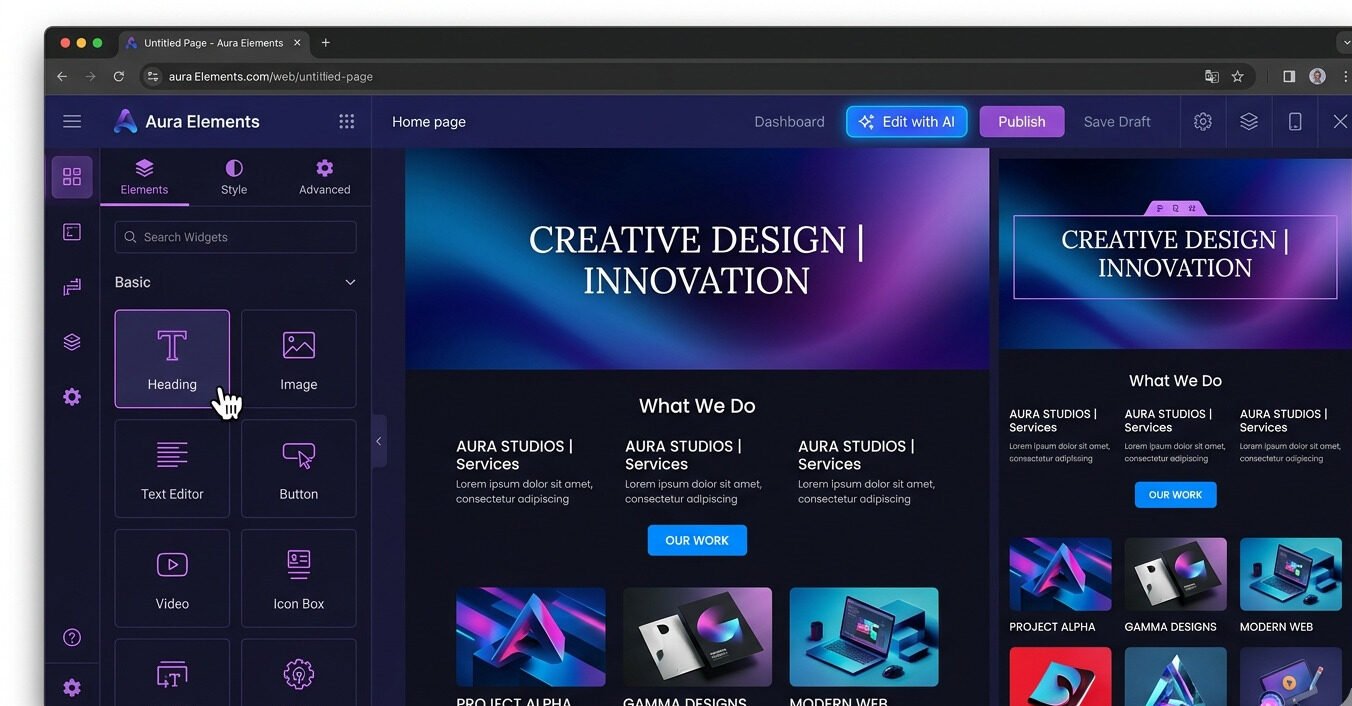
Elementor AI has become one of the most valuable additions to the WordPress ecosystem. Rather than functioning as a standalone platform, it works directly within Elementor’s visual editor, allowing users to build and refine websites without leaving their existing workflow.
For WordPress professionals who regularly work with custom layouts, landing pages, and marketing websites, Elementor AI offers a practical way to accelerate project execution while maintaining full design control.
Key Features
Dynamic Layout Generation
Users can describe page sections, containers, and design elements using natural language prompts. The AI then generates layouts that can be customized further inside the editor.
AI-Assisted CSS Creation
Elementor AI can help generate custom CSS for advanced visual effects, spacing adjustments, animations, and styling refinements. This is particularly useful when implementing unique design requirements without writing every line manually.
Content and Copy Assistance
The platform can also generate headlines, descriptions, call-to-action content, and supporting copy directly inside the page-building environment.
Native WordPress Integration
Because Elementor AI is built directly into Elementor, users can continue working with familiar WordPress workflows, templates, widgets, and plugins without relying on external design systems.
Why Elementor AI Stands Out
Unlike many AI website generators that attempt to replace existing workflows, Elementor AI enhances a platform already used by millions of WordPress professionals.
Its biggest advantage is context. Since it operates within the page builder itself, the AI understands the layout structure being created and can generate content, styling, and sections that fit naturally into the project.
For agencies, freelancers, and WordPress specialists, Elementor AI serves as a practical enhancement to an established workflow rather than a complete replacement.
2. Framer AI (Best for High-Fidelity Prototyping)
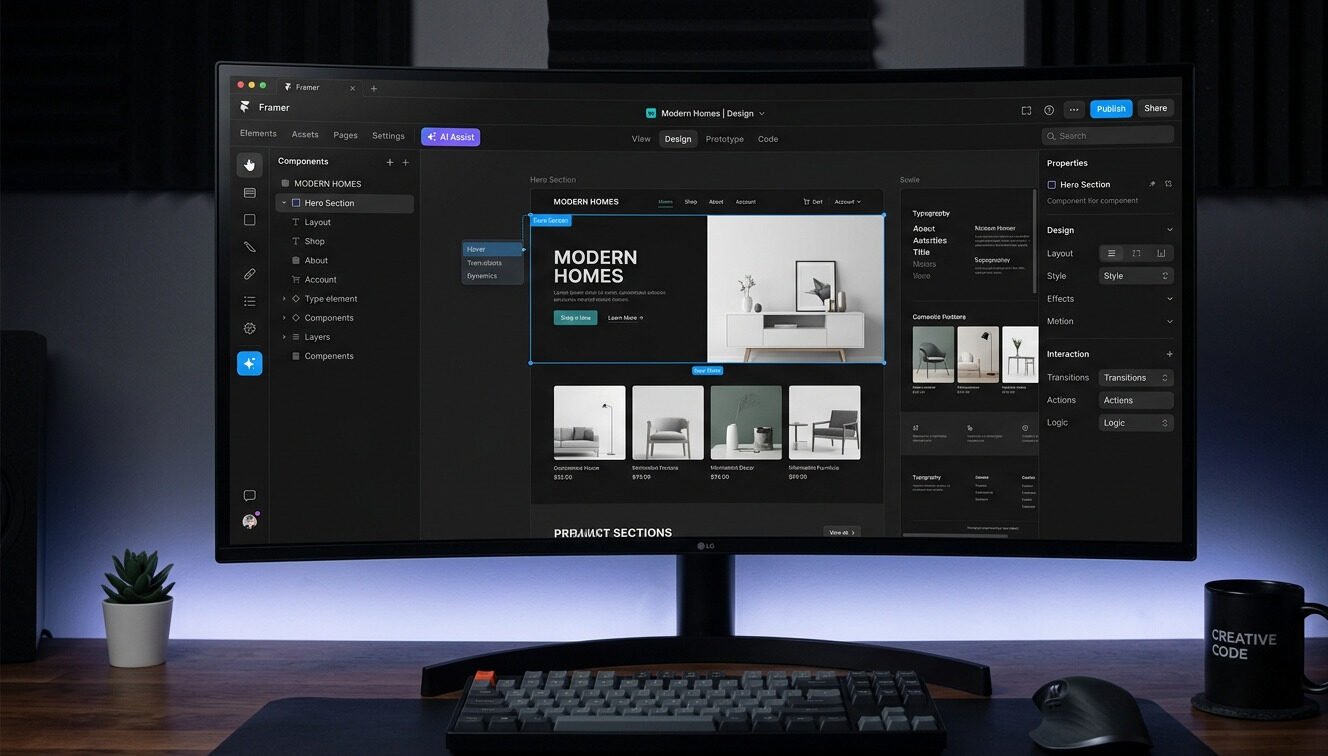
When a project requires rapid design exploration without sacrificing visual quality, Framer AI stands out as one of the strongest options available. The platform transforms simple prompts into polished website layouts that closely resemble finished products rather than basic wireframes.
Key Features
Prompt-to-Design Generation
Users can describe a website, landing page, or interface concept, and Framer AI generates a complete design structure within minutes.
Interactive Prototypes
Unlike static mockups, Framer allows designers to create interactive experiences that better represent how users will engage with the final website.
Responsive Design Support
Generated layouts are designed to adapt across multiple screen sizes, making it easier to evaluate the user experience on desktop and mobile devices.
Fast Design Iteration
Design teams can quickly experiment with different layouts, sections, and visual directions without rebuilding screens from scratch.
Why Framer AI Stands Out
Framer AI is particularly valuable during the concept and validation stage of a project. It helps teams move from ideas to realistic prototypes quickly, making it easier to gather client feedback and refine designs before development begins.
3. Relume (Best for Strategy and Wireframing)
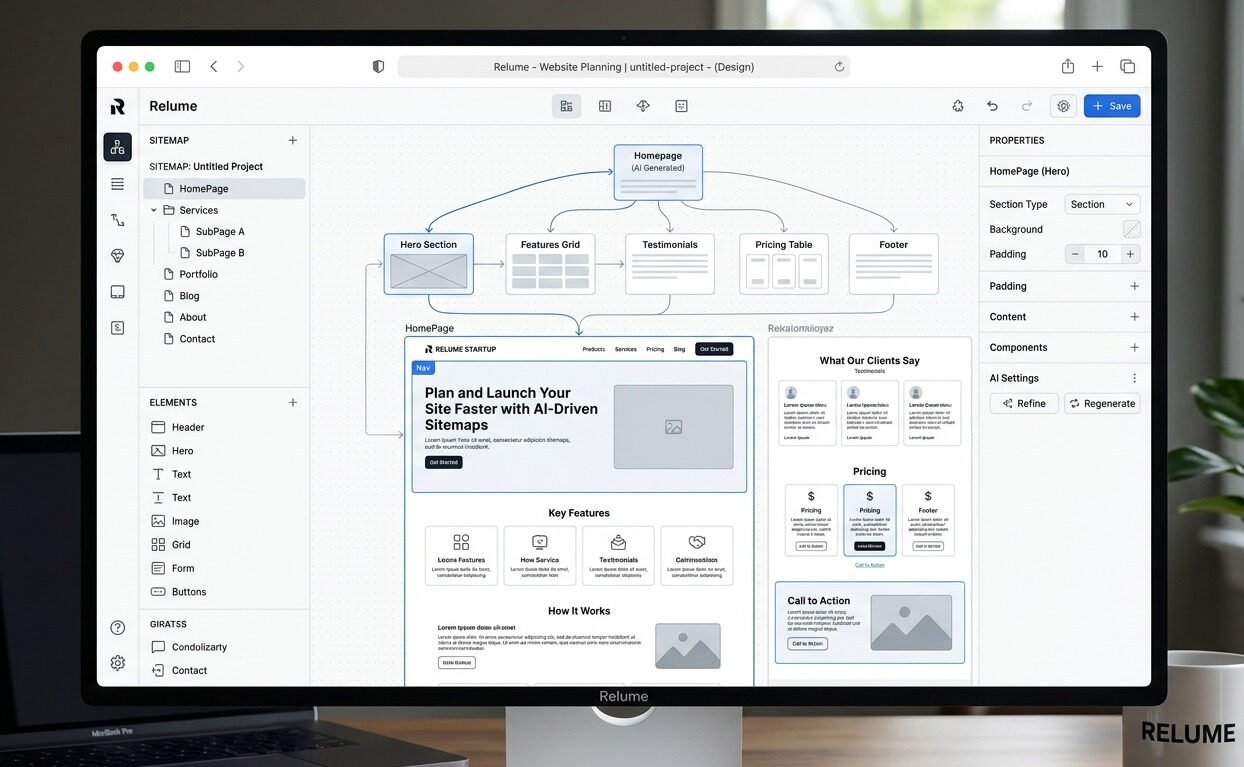
Before creating beautiful interfaces, successful websites require a clear structure and content hierarchy. Relume focuses on this crucial planning stage by helping teams organize website architecture before design and development begin.
Key Features
AI Sitemap Generation
Relume can generate detailed sitemaps based on project goals and business requirements. This helps establish a logical website structure from the beginning.
Wireframe Creation
Once a sitemap is generated, the platform can quickly create wireframes that provide a visual representation of page layouts and content organization.
Component-Based Design System
Relume includes an extensive library of reusable components that help maintain consistency throughout a project.
Faster Planning Workflows
Designers can create multiple sitemap and wireframe variations, allowing clients to compare different approaches before making decisions.
Why Relume Stands Out
Relume’s strength lies in planning rather than visual design. It helps teams create a strategic foundation that guides the rest of the project, reducing confusion and minimizing costly structural changes later in the process.
4. Wix Studio (Best for Agency Workflows)
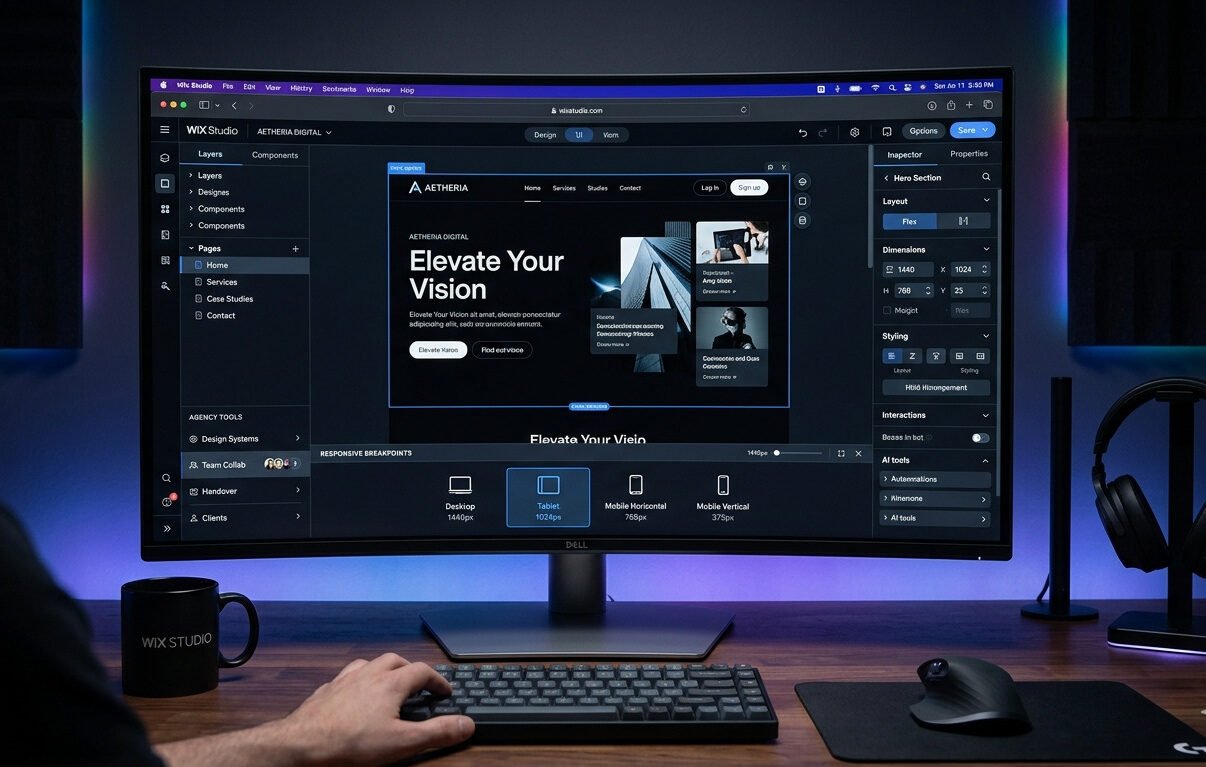
Wix Studio is designed specifically for agencies and teams managing multiple client projects. It combines advanced design controls with AI-powered responsiveness, helping agencies maintain consistency while handling projects at scale.
Key Features
Intelligent Responsive Layouts
The platform automatically adjusts layouts across different screen sizes, helping preserve design integrity on desktop, tablet, and mobile devices.
Advanced Design Controls
Unlike traditional website builders, Wix Studio provides deeper customization options that allow designers to create unique visual experiences.
Team Collaboration Tools
The platform supports collaborative workflows, making it easier for designers, developers, and clients to work together throughout the project lifecycle.
Multi-Project Management
Agencies can manage multiple websites and client assets within a centralized environment.
Why Wix Studio Stands Out
Wix Studio balances ease of use with professional-level customization. It is particularly useful for agencies seeking a scalable solution that supports both creative freedom and efficient project management.
5. Uizard (Best for Rapid Concept Design)
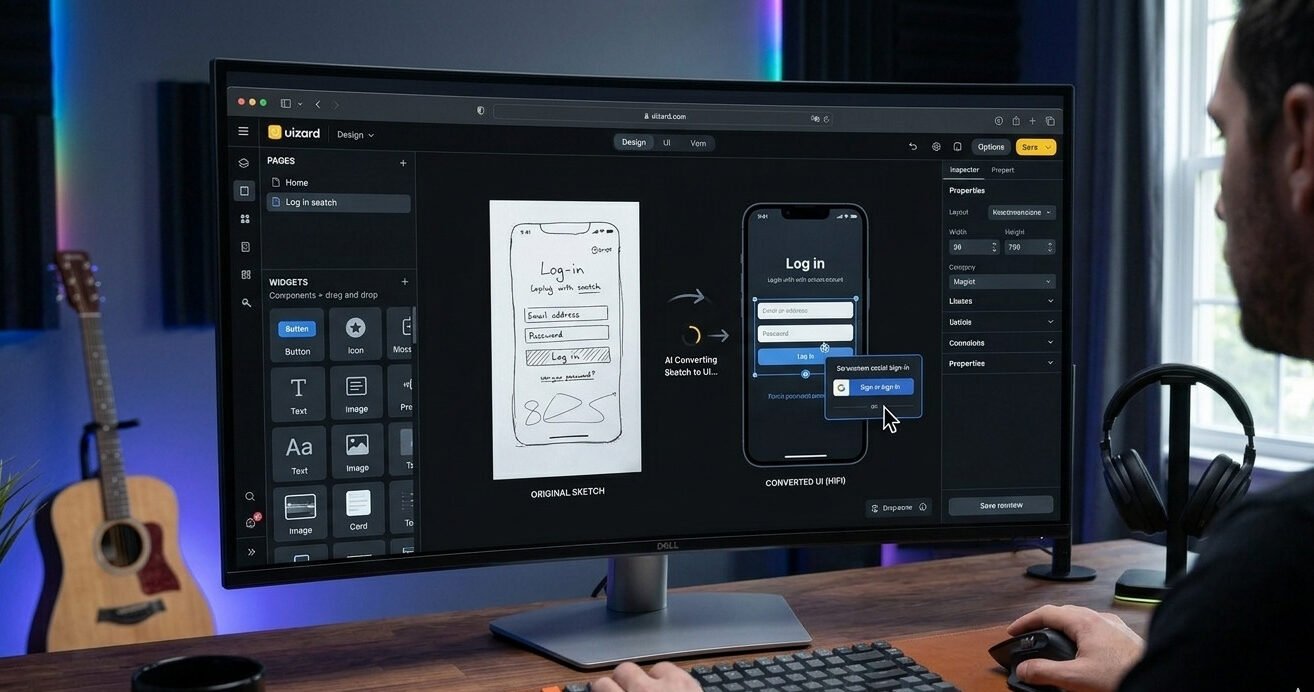
Uizard focuses on one of the earliest stages of product and website creation: turning ideas into visual concepts. It is especially useful for designers who need to present concepts quickly or validate ideas before investing time in detailed design work.
Key Features
Sketch-to-UI Conversion
Users can upload hand-drawn sketches, and Uizard converts them into editable digital interfaces.
AI Design Generation
The platform can create layouts based on simple descriptions, screenshots, or existing design references.
Drag-and-Drop Editing
Once generated, designs can be customized through an intuitive visual editor.
Collaboration Features
Teams can share prototypes and gather feedback directly within the platform.
Why Uizard Stands Out
Uizard excels at accelerating the idea-generation phase. It enables designers to move from rough concepts to presentable prototypes quickly, making it easier to communicate ideas and secure stakeholder approval.
6. 10Web (Best for Automated WordPress Optimization)
10Web extends beyond design generation by combining website creation, hosting, optimization, and maintenance within a single ecosystem. It is particularly popular among WordPress professionals managing multiple websites.
Key Features
AI Website Recreation
One of 10Web’s most notable capabilities is its ability to recreate existing websites using AI. The platform analyzes a live site and rebuilds a similar structure within WordPress.
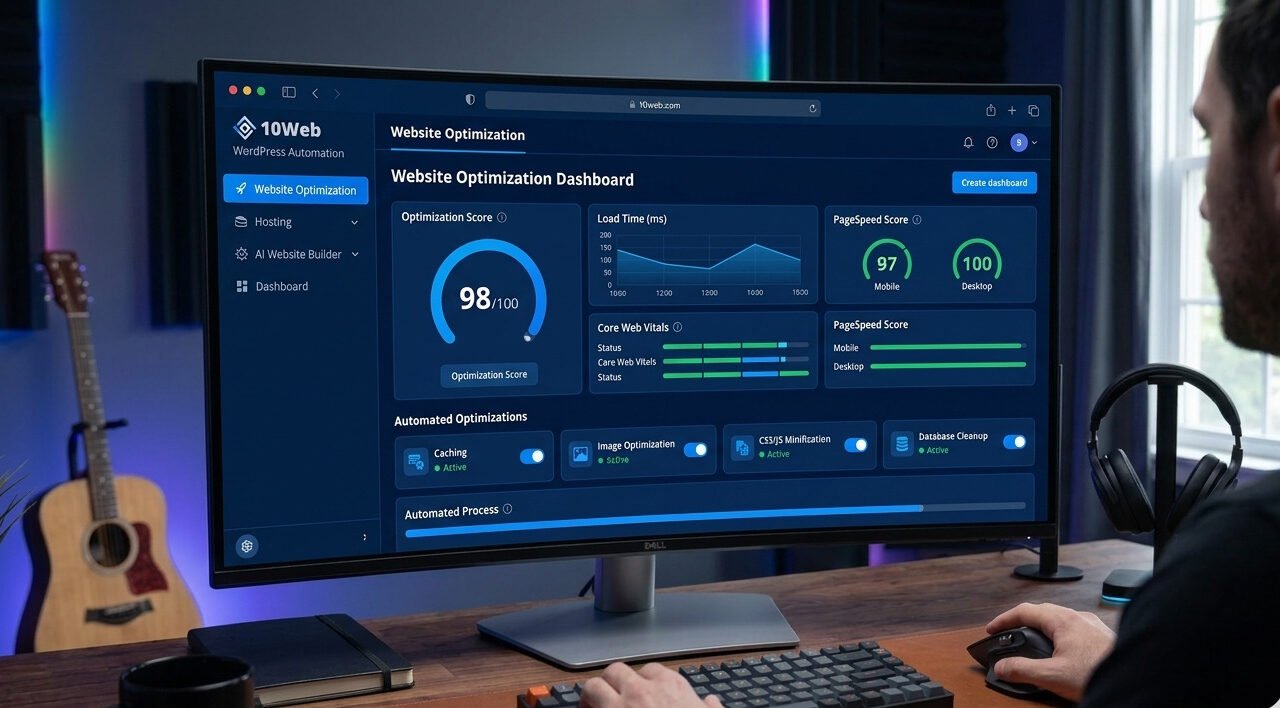
Automated Performance Optimization
The system continuously optimizes websites through image compression, caching, file minification, and other performance enhancements.
Managed Hosting Environment
10Web includes cloud hosting infrastructure designed to support fast-loading websites and reliable uptime.
Automated Maintenance
Backups, updates, and security management are integrated into the platform, helping simplify ongoing website maintenance.
Why 10Web Stands Out
While many AI tools focus primarily on design, 10Web addresses the full website lifecycle. Its combination of site creation, optimization, hosting, and maintenance makes it a comprehensive solution for agencies and WordPress-focused businesses.
7. Webflow AI (Best for Advanced Customization)
Webflow has long been known for providing extensive design flexibility while maintaining clean code output. Building on these strengths, Webflow AI introduces intelligent automation into the visual development process.
Key Features
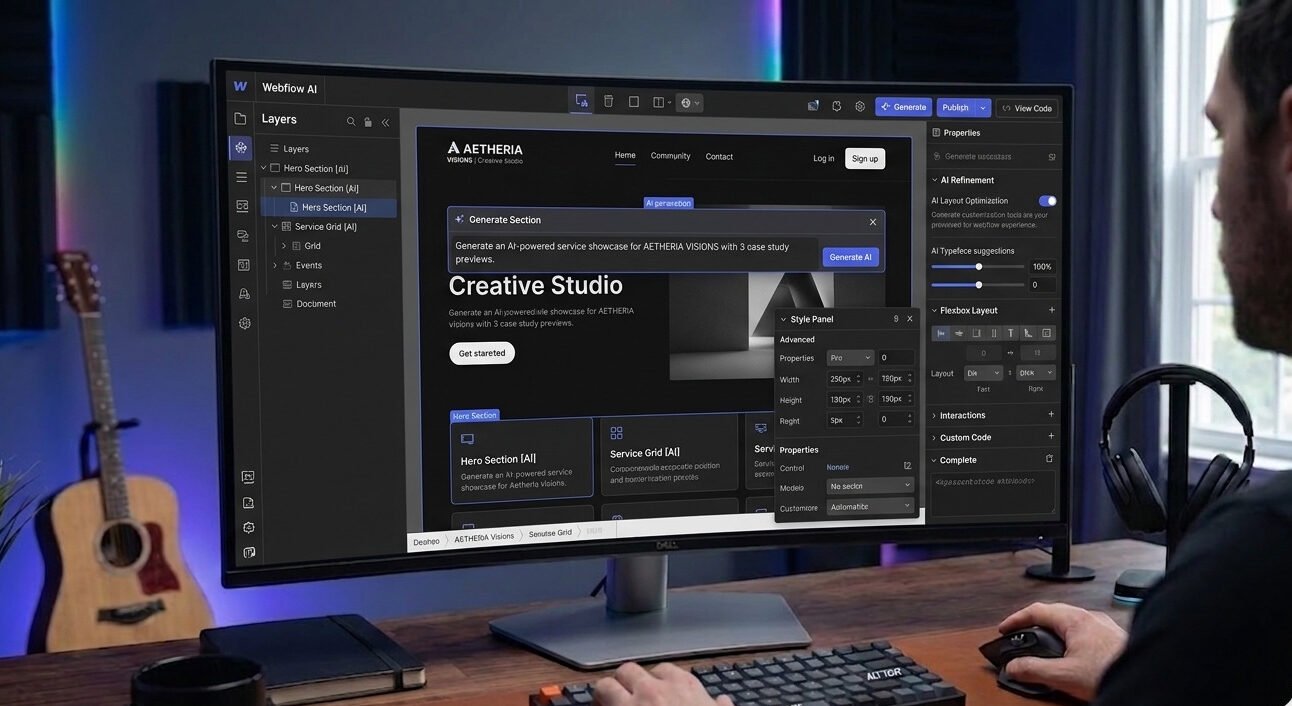
AI-Assisted Layout Creation
Users can generate complex page sections and structures using prompts while maintaining full control over customization.
Clean and Semantic Code
Webflow continues to prioritize high-quality code output, making it attractive for projects where performance and maintainability are important.
Advanced Design Systems
The platform supports scalable design systems, reusable components, and structured content management.
Dynamic Content Capabilities
Webflow AI works alongside the platform’s CMS features, making it easier to build content-rich websites that remain easy to update.
Why Webflow AI Stands Out
Webflow AI is ideal for projects that require a high level of customization. It combines automation with professional-grade development capabilities, allowing teams to create sophisticated websites without sacrificing flexibility.
Comparison Summary: Choosing the Right AI Web Development Tool
| Tool | Best For | Complexity Level |
| Elementor AI | WordPress Professionals | Moderate |
| Framer AI | High-Fidelity Prototyping | Moderate |
| Relume | Site Planning & Wireframing | Low |
| Wix Studio | Agency Workflows | Moderate |
| Uizard | Rapid Concept Design | Low |
| 10Web | WordPress Optimization | High |
| Webflow AI | Advanced Customization | High |
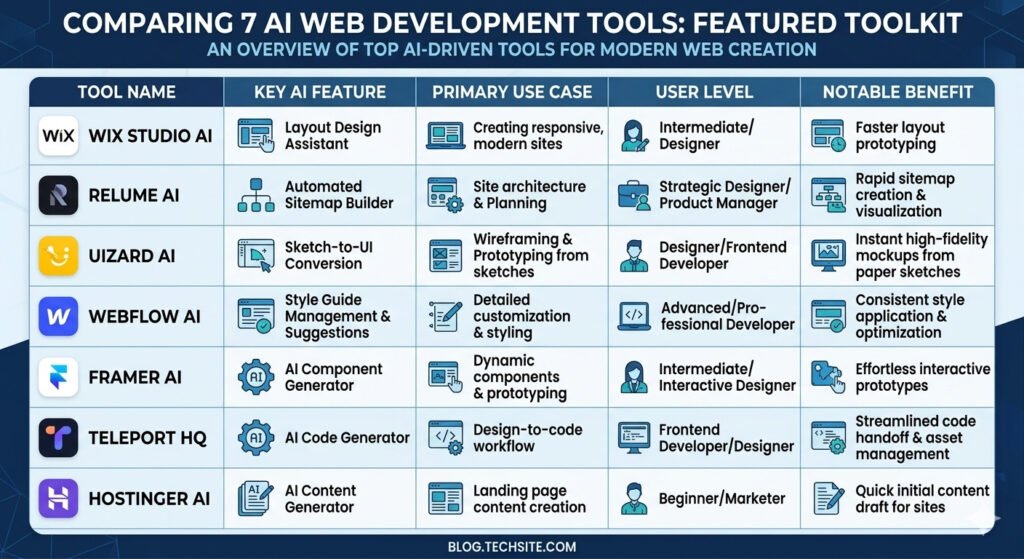
Selecting the Right Tool for Your Workflow
Choosing the best AI platform depends largely on your project requirements and preferred workflow.
- Relume provides the strongest foundation for website planning and architecture through AI-generated sitemaps and wireframes.
- Framer AI and Uizard are ideal for design exploration and prototyping, offering fast concept generation and visual iteration capabilities.
- Elementor AI and 10Web provide the deepest integration with the WordPress ecosystem for WordPress-based projects.
- Wix Studio offers strong collaboration features and responsive design controls, making it the best choice for agencies managing multiple projects.
- Webflow AI delivers the greatest level of design flexibility and control for highly customized websites.
Each platform serves a different purpose, and many professionals combine several of these tools within the same workflow to maximize efficiency and creative freedom.
Frequently Asked Questions (FAQ) About AI Web Development Tools
As AI continues to influence modern web development, many professionals have questions about how these tools fit into real-world workflows. Below are answers to some of the most common concerns.
Do AI Web Development Tools Replace Manual Development?
No. AI tools are designed to assist developers and designers, not replace them.
While AI can generate layouts, wireframes, content suggestions, and foundational code, it cannot fully replicate human creativity, strategic thinking, or problem-solving. Complex requirements such as custom functionality, advanced integrations, accessibility compliance, and unique user experiences still require professional expertise.
The most effective approach is to use AI for repetitive and time-consuming tasks while relying on human judgment for planning, customization, and quality assurance.
How Do AI Tools Affect Core Web Vitals?
The impact depends on the platform and how the generated output is managed.
Some basic AI website builders may create unnecessary code that can affect page speed and performance. However, leading platforms such as Webflow AI, Elementor AI, and 10Web place a stronger emphasis on clean structure and optimization.
Regardless of the tool used, developers should always review generated layouts, optimize media assets, remove unused elements, and test performance before launch. AI can support optimization efforts, but maintaining strong Core Web Vitals still requires proper implementation and oversight.
Are These AI Tools Suitable for Client Projects?
Yes. Most of the tools discussed in this guide are specifically designed for professional use cases and client-facing projects.
Platforms such as Elementor AI, Webflow AI, Wix Studio, Framer AI, and 10Web offer the flexibility needed for commercial websites, agency work, eCommerce stores, and business applications.
The key is selecting a platform that aligns with your project’s goals, technical requirements, and long-term maintenance needs. When used correctly, AI tools can help reduce production time while maintaining professional standards.
Which AI Tool Is Best for WordPress?
For WordPress-focused workflows, Elementor AI and 10Web are among the strongest options.
Elementor AI integrates directly into the Elementor builder, making it ideal for page creation, content generation, and design assistance. 10Web extends beyond design by offering AI site generation, hosting, optimization, and maintenance features.
The best choice depends on whether your primary focus is design flexibility or complete website management.
Can AI Help Beginners Build Websites?
Yes. Many AI-powered platforms reduce the technical barriers associated with website creation.
Tools such as Wix Studio, Uizard, and Framer AI allow users to create layouts and prototypes through visual interfaces and simple prompts. While some technical knowledge remains beneficial, beginners can use these platforms to build functional websites much faster than traditional development methods.
Final Recommendation
Artificial intelligence has become an important part of modern web development, helping professionals streamline planning, design, and implementation. The best results, however, come from combining AI-powered automation with human expertise.
Choosing the Right Tool
Each platform covered in this guide serves a different purpose:
- Elementor AI is ideal for WordPress professionals who want AI assistance within an established workflow.
- Framer AI excels at creating high-fidelity prototypes and interactive concepts.
- Relume is best suited for website planning, architecture, and wireframing.
- Wix Studio supports agencies that need collaborative and responsive design workflows.
- Uizard simplifies early-stage concept development and idea validation.
- 10Web focuses on WordPress automation, optimization, hosting, and maintenance.
- Webflow AI provides advanced customization for complex and design-focused projects.
The Most Effective AI Workflow
Successful web professionals use AI as a productivity tool rather than a replacement for expertise. AI can accelerate sitemap creation, wireframing, layout generation, content drafting, and responsive design, allowing teams to focus on areas that require creativity and strategic thinking.
The strongest workflow combines:
- AI-assisted planning
- Human-led design decisions
- Performance optimization
- Accessibility review
- Quality assurance testing
This balance ensures that projects benefit from automation while maintaining professional standards.
Looking Ahead
As AI technology continues to evolve, web development workflows will become increasingly intelligent and efficient. Designers and developers who learn how to integrate these tools effectively will be better positioned to deliver scalable, user-focused, and high-performing websites. For the visuals on those websites, our guide to the best AI image generators and editors can help you create original graphics.
The future of web development is not about choosing between AI and human expertise. It is about combining the speed of intelligent automation with the creativity, experience, and strategic thinking that only skilled professionals can provide.
